Friday, August 31, 2018

User Guide for RPi hotspot with FAN, Simplex hotspot,Model MMDVM_AlloySPOT,RPiZW SPOT Basic Edition

The first time use MMDVM Simplex hotspot , you can follow this guide.

1, Config WiFi  Connect

2, Config Pi-Star setting

3, Config Digital Radio setting

3.1 DMR radio

3.2 YSF radio

3.3 P25 radio

3.4 D-STAR

3.5 POCSAG


Thursday, August 9, 2018

Pager Setting User Guide 0810/update 2023.12.04 #POCSAG, #DAPNET


MMDM System Requirement
Pi-Star 3.4.16 or higher
Firmware 1.4.8 or higher


Software description


Download: 
Support Windows XP, Windows 7, Windows 10, Windows11

Pager ID programming software:
Software V3.2+ adapter:

Software V3.09 adapter:


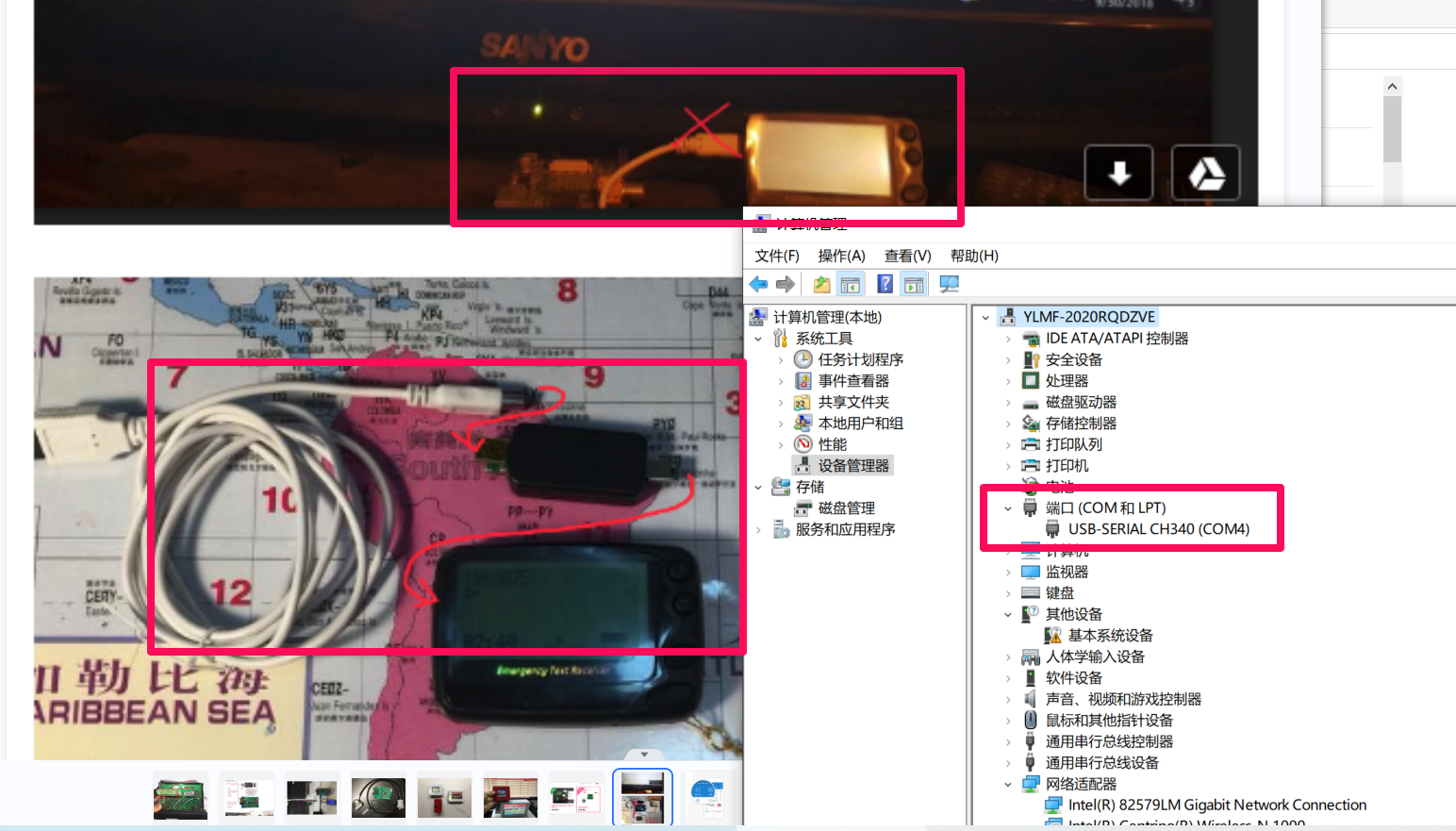
USB Adapter use CH340 Chip (Support Windows11)
USB Driver : https://www.bi7jta.org/files/POCSAG/Driver_CH341_SER_Support_Windows11.zip

Driver install and hardware connection:


USB Adapter use Pager id Chip (Very Old version)
https://www.bi7jta.org/files/POCSAG/Programmer_x64x32.zip

Settings
Write your RIC and S/N ,frequency


Enable Night-light


Video for LCD


Register your DAPNET account https://hampager.de/
Test send message in web: https://hampager.de/#/calls

Test send message in Android/iOS: 


Register your PagerID/Transmitter (HAM RADIO in MMDVM)
New in 2024


Request your DAPNET Auth key
https://hampager.de/dokuwiki/doku.php?id=procedurenewtx

https://support.hampager.de/open.php


(Old) 
1, Request your DAPNET Auth key 


2, Add your Pager to DAPNET
3, Test send message to yourself.

Run send message to yourself, change the Callsign. (Deprecated in new version of Pi-Star, use web send call or Android, iOS instead )
sudo pistar-dapnetapi BI7JTA "Test message 144.5125MHz, RIC 123456"

Add your Pager RIC to DAPNET, one callsign can add multiple RIC


View log
tail -100f /var/log/pi-star/DAPNETGateway-2018-09-01.log  


Pager Feature && instruction
PLL or crystal, 137-199 MHz and 400-499 MHz, POCSAG. 

Please notice that the frequency you use.

*One device just with 4MHz bandwidth.
*The frequency can be customized in the frequency range, 4MHz bandwidth you can program when come out factory.

For example, your order 1x 439.9875MHz, you just can use 437.9875-441.9875 MHz.
You can not use 458.6625MHz when you customize 439.9875MHz.

*Default frequency is 439.9875MHz.

Warning


Q&A
1) You can use the default RIC id if can not write your ID, the first and the second have Beep Beep  voice,

2) Some language  Character coding not support in DAPNET server,  will cause unintelligible text, change to English is ok.

3) Some time DAPNET server connect timeout, try later or change network(WiFi).


Wednesday, June 27, 2018

jTA Blog for MMDVM Summary


BLOG LIST IN THIS Article

Instructions

NANO Series DIY Project for MMDVM
http://mmdvm.bi7jta.org/2018/05/about-nano-series-diy-project-for-mmdvm.html

UserGuide

UserGuide for Duplex_hotSPOT_v0721
http://mmdvm.bi7jta.org/2018/04/userguide-for-duplexhotspot-only-for.html

UserGuide for Repeater Kit Board (LinkerV3)
http://mmdvm.bi7jta.org/2018/04/about-nano-mmdvm-repeater-kit-board.html

UserGuide for Nano hotSPOT(blueBox) and Simplex hotSPOT 
http://mmdvm.bi7jta.org/2018/04/userguide-and-openbox-video-for-nano.html

Firmware upgrade UserGuide_0721  
http://mmdvm.bi7jta.org/2018/05/mmdvm-uses-experience-and-skills.html 

The way to Analysis and Feedback issue (About Duplex_hotSPOT)
http://mmdvm.bi7jta.org/2018/04/how-to-feedback-issue-to-me-about.html

GPIO Definition And Interface Diagram for Nano Series hotSPOT(jTA_SPOT)
http://mmdvm.bi7jta.org/2018/05/gpio-definition-for-nano-and-duplex.html

Assembly Aluminum alloy Case for duplex_hotSPOT
http://mmdvm.bi7jta.org/2018/05/assembly-aluminum-alloy-case-for.html


Nextion

Nextion LCD for Duplex hotSPOT and RPi Fan HS
http://mmdvm.bi7jta.org/2018/04/install-nextion-lcd-for-duplex-hotspot.html

Nextion LCD for Nano hotSPOT(BlueBox)
http://mmdvm.bi7jta.org/2018/05/add-nextion-for-nano-hotspotbluebox.html

Flash Nextion Firmware Online(without USB Adapt or SDCard)
http://mmdvm.bi7jta.org/2018/06/flash-nextion-firmware-onlinewithout.html

Youtebe Video

Openbox Video for Duplex hotSPOT
http://mmdvm.bi7jta.org/2018/04/duplex-hotspot-openbox-video-by-n0war.html

Nano hotSPOT blueBOX unboxing by OH1E
http://mmdvm.bi7jta.org/2018/04/userguide-and-openbox-video-for-nano.html

Discussion

Known Issue and SolutionsIssue
http://mmdvm.bi7jta.org/2018/04/test-first-blogger.html


Other product

3D Print CallSign,Copyright by @BG7MQO,continue update

Duplexer preview share by  by my friend

Youtube Video sharing


Wednesday, June 20, 2018

Duplexer preview

>25W, 1.5KG
64USD  +   Actual postage 


My MMDVM youtube homepage
https://www.youtube.com/channel/UC6Us7z_gkxNKc0PcCuS7fYQ?view_as=subscriber

See also jTA Repeater kit board
http://mmdvm.bi7jta.org/2018/04/about-nano-mmdvm-repeater-kit-board.html

Saturday, June 9, 2018

Flash Nextion Firmware update 2020

Nextion firmware (Model8) 

Model8 requirement
Pi-Star 4.1.2 and update to the last
MMDVM Display Type:  Nextion Layout:ON7LDS L3,


Nextion-editor ,to change your display style 

Format tools:

Download
1. Local , output for Nextion T serial (4MHz memory), clone from PD0DIB 


 2. PD0DIB homepage, you can modify use editor
https://github.com/PD0DIB/Nextion_HAM-radio-screens


2. G4KLX, the original project

Note: HMI file you need to install Nextion Editor, general the tft bin file.

Flash firmware use SD card (TFcard)

Youtube demo: https://www.youtube.com/watch?v=cPOL8UedAGA


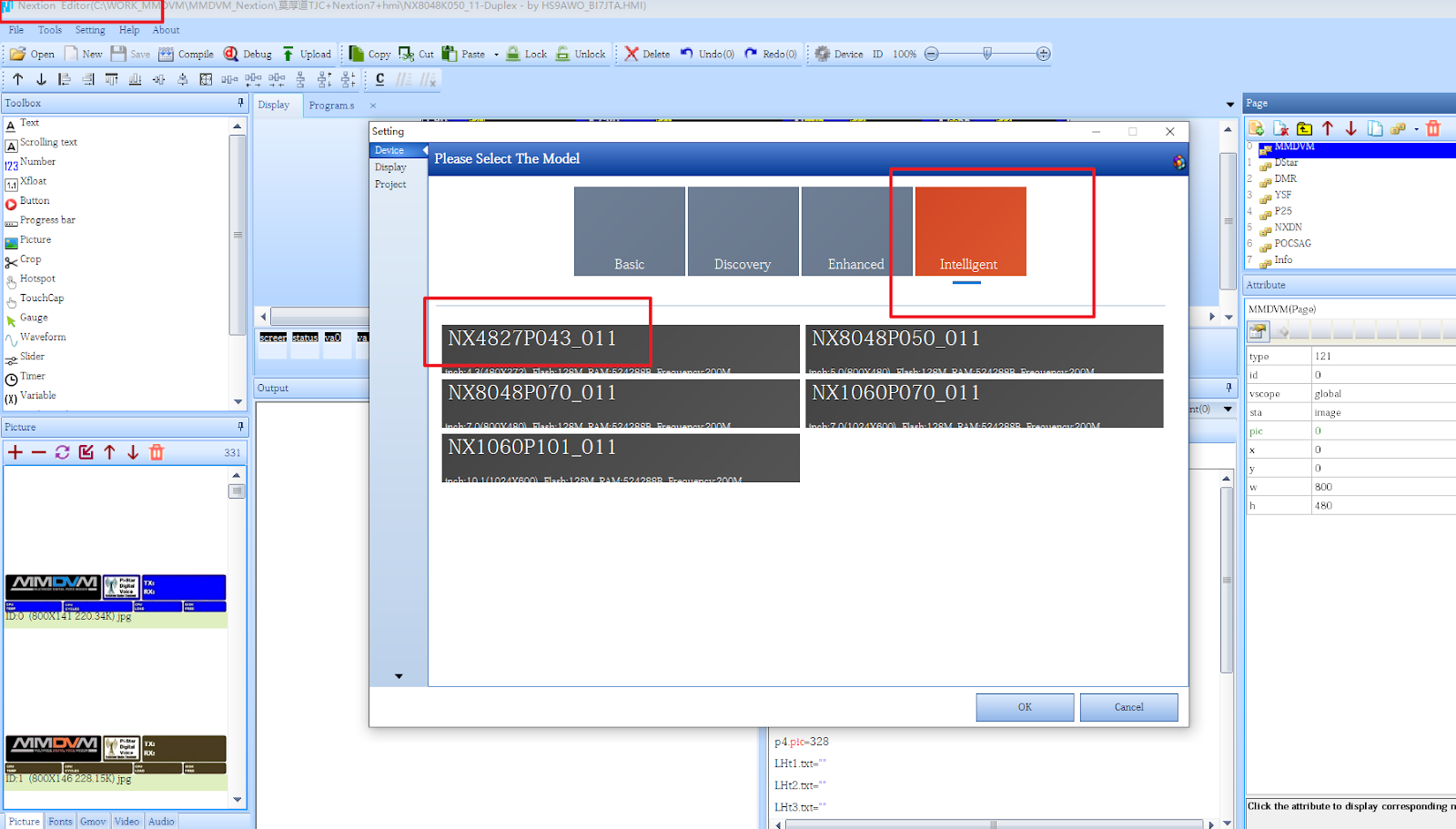
How to output different Model tft file?


What is the difference between Nextion and TJC?


Detail: https://www.bi7jta.org/shop/duplex-hotspot-model-a-3d-white-5inch-33

If you not edit/Develop the display content yourself , TJC is enough for use, but use Nextion Model,  you will find more resource in Facebook group https://www.facebook.com/groups/Nextion.

K Serial with More storage capacity, RAM

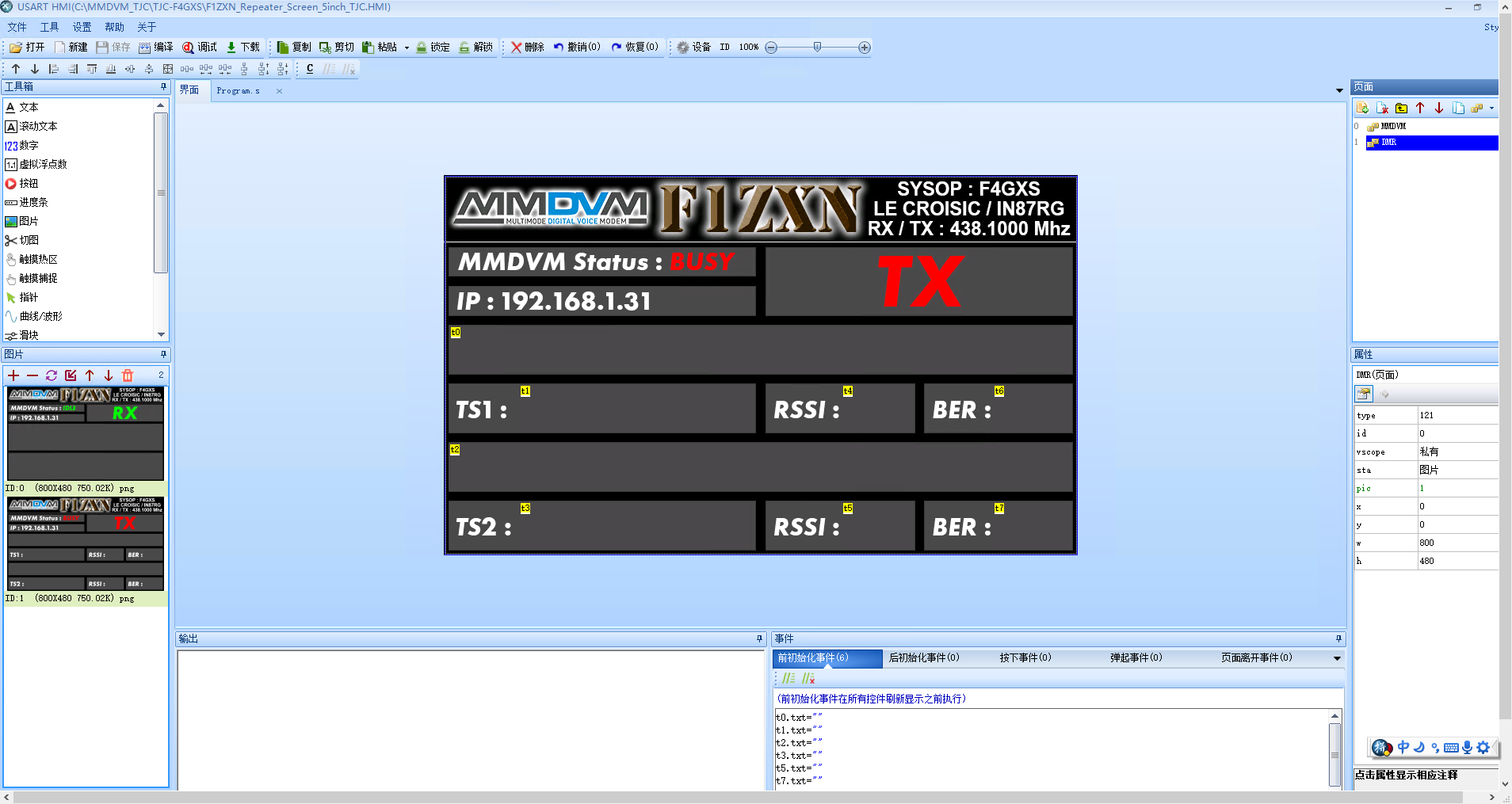
TJC-Chinese Editor


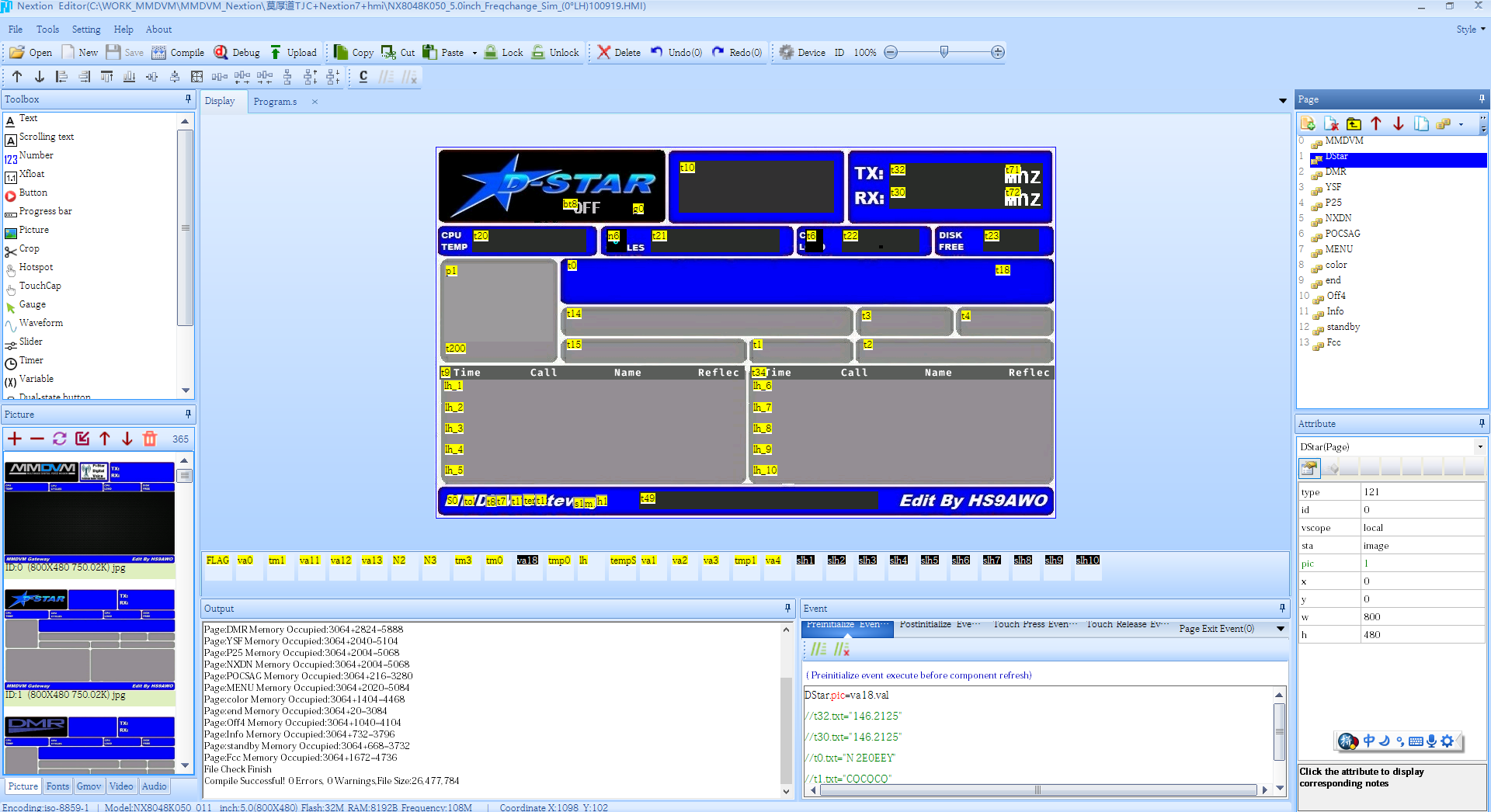
Nextion-English-Editor


Preview :

https://www.bi7jta.org/shop/duplex-model-a-alc-spot-nx-mmdvm-101#attr=165


https://www.bi7jta.org/shop/duplex-bi7jta-spot-model-a-3d-white-2-4inch-34


Sunday, May 20, 2018

Firmware upgrade UserGuide for MMDVM HAT(Simplex/Duplex/Repeater) made by BI7JTA

Important update ,from firmware v1.4.12

Frequency restrictions to avoid satellite interference. Please avoid the following ranges: 145.8-146.0 MHz and 435-438 MHz, otherwise firmware will not start.
tail -100f /var/log/pi-star/MMDVM-2018-11-21.log
Error message Received a NAK to the SET_FREQ command from the modem

NOTE: 
1)  WiFi SSID and PASSWORD BE REPLACE WHEN Restore Configuration!
2) If run firmware upgrade script error ,run Pi-Star OS first  **Important**
sudo pistar-update && sudo pistar-upgrade

Check new firmware

How to enter ssh mode:
http://pi-star:2222/ [Or use IP address]
usr: pi-star
pas: raspberry

1 ) Duplex HAT by BI7JTA VR2VYE


sudo pistar-vyehsflash hs_dual_hat
Radio/Modem Type "MMDVM_HS_Hat Dual Hat(VR2VYE) for Pi(GPIO)"


2)for Nano hotSPOT (BlueBOX)

sudo pistar-vyehsflash nano_hs

change Modem_Type to "MMDVM_HS_NPi Hat (VR2VYE) for Nano Pi(GPIO)"


*For old version HAT,

*If not successful,some old nano HAT need do more operation,connect the upgrade GPIO jumper, detail see here.
https://github.com/nano-mmdvm/MMDVM_HS_firmware/blob/master/how-to-upgrade-nano-hs-fw.md

3)for RPi_Simplex hotspot

sudo pistar-mmdvmhshatflash hs_hat  
Change Modey-Type to "STM32-DVM / MMDVM_HS - Raspberry Pi Hat (GPIO)"


4)for MMDVM repeater board make by jTA
For V3_F446 
Upgrade logs:
20191002: add RSSi data display support

Change Modey-Type to "STM32-DVM / MMDVM_HS - Raspberry Pi Hat (GPIO)"

Open your ssh GUI http://pi-star/admin/expert/ssh_access.php  
User: pi-star  
Pass: raspberry  

Login and Ctrl + C then Ctrl +V ,run the follow scripts   

rpi-rw;  
curl -OL https://raw.githubusercontent.com/bi7jta/MMDVM_HS_firmware_VR2VYE/master/RepeaterV3F4/stm32flashV5;  
sudo chmod +x stm32flashV5;
curl -OL https://raw.githubusercontent.com/bi7jta/MMDVM_HS_firmware_VR2VYE/master/RepeaterV3F4/mmdvm_f4.hex;  
sudo killall MMDVMHost >/dev/null 2>&1 ;  
sudo ./stm32flashV5 -v -w mmdvm_f4.hex  -R  -i 20,-21,21:-20,21 /dev/ttyAMA0;  

#Please Power off then Power on(Not the reboot).  

For V1_F105
*Important* Just support use boot loader flash HAT firmware


The new firmware version is RPT_1.4.7 
New feature: Support POCSAG mode.


Flash use USB 
Suggest this way,enter flash mode easy then GPIO
1)Use USB mode  
1.1 Disconnect STM32-DVM from the RPi host, GPIO and USB all disconnect,  
1.2 Insert JP jumper, short BOOT and VCC near P25 LED,  
1.3 Connect STM32-DVM to the RPi host use USB wire, then will endter flash mode automatic. PWR, ACT and DMR will bright, not flashing (Very important,if not as I description, disconnect USB and connect again) .  
1.4 Flash use USB (replace your .hex path, and download stm32flash,see Require libs )  
sudo stm32flash -w /usr/src/MMDVM/bin/mmdvm.hex -v /dev/ttyUSB0  
  
Require libs  

Demo videos :
https://www.youtube.com/playlist?list=PLe3vAuVeEGj-p4WhxvPDDpKf82AYa7e6B

Flash use ST-LINK (Not suggestion)
Buy a ST-Link ,then connect to the board ST-LINK interface, then open STM32 ST-LINK Utility, choose mmdvm.hex,then flash. 

For V3 F446 Version
Coming soon,

Contact me, bi7jta@gmail.com


Wednesday, May 16, 2018

Assembly Aluminum alloy Case for duplex_hotSPOT
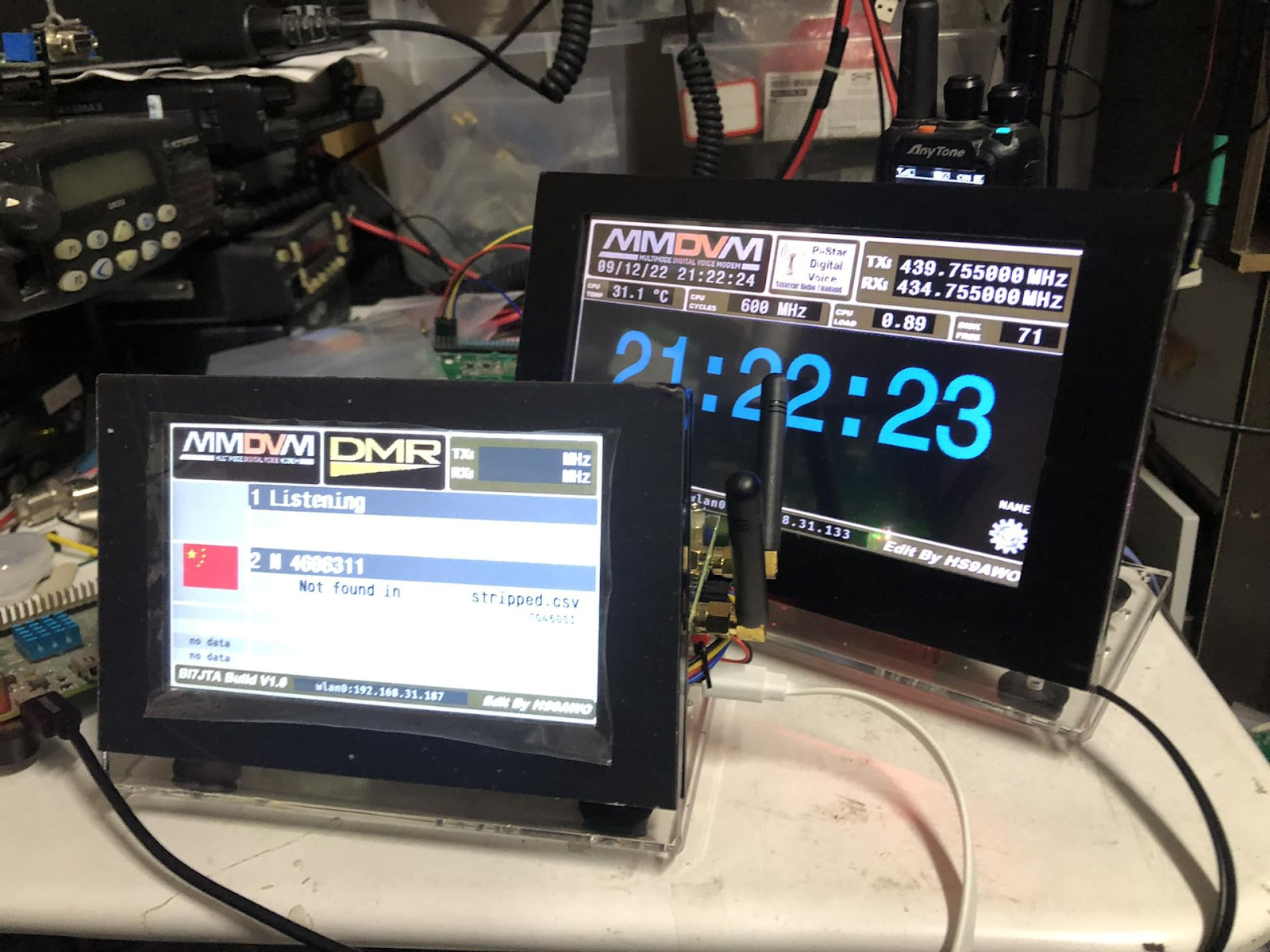
Duplex BOX BETA1.0
Also name 
Duplex + Case Integrate, including
Aluminum alloy Case(punch 4 holes)
SMA JumpWire(need 2x pcs,RX/TX)
Assembly cost(Purchase, punch hole, debug )


Maybe a option choose? ↓


New with fan↓


Use USBtoTTL adapter,option, Hot pluggable ↓

 Black and silver grey color↓

With 4G Network USB Dongle↓


Video share by OH1E: Duplex Hotspot build with nextion


Price list
http://mmdvm.bi7jta.org/2018/05/about-nano-series-diy-project-for-mmdvm.html


Where to find me?

BI7JTA'S HAM RADIO help you build your Digital Repeater and Hotspot easier.

  For your easy DIY work . Winters CN for more information, h ave fun!  MMDVM Repeater board V3F4 , DMR YSF D-STAR NXDN M17 POCSAG FM htt...